I have always liked Microsoft Fluent Emoji.
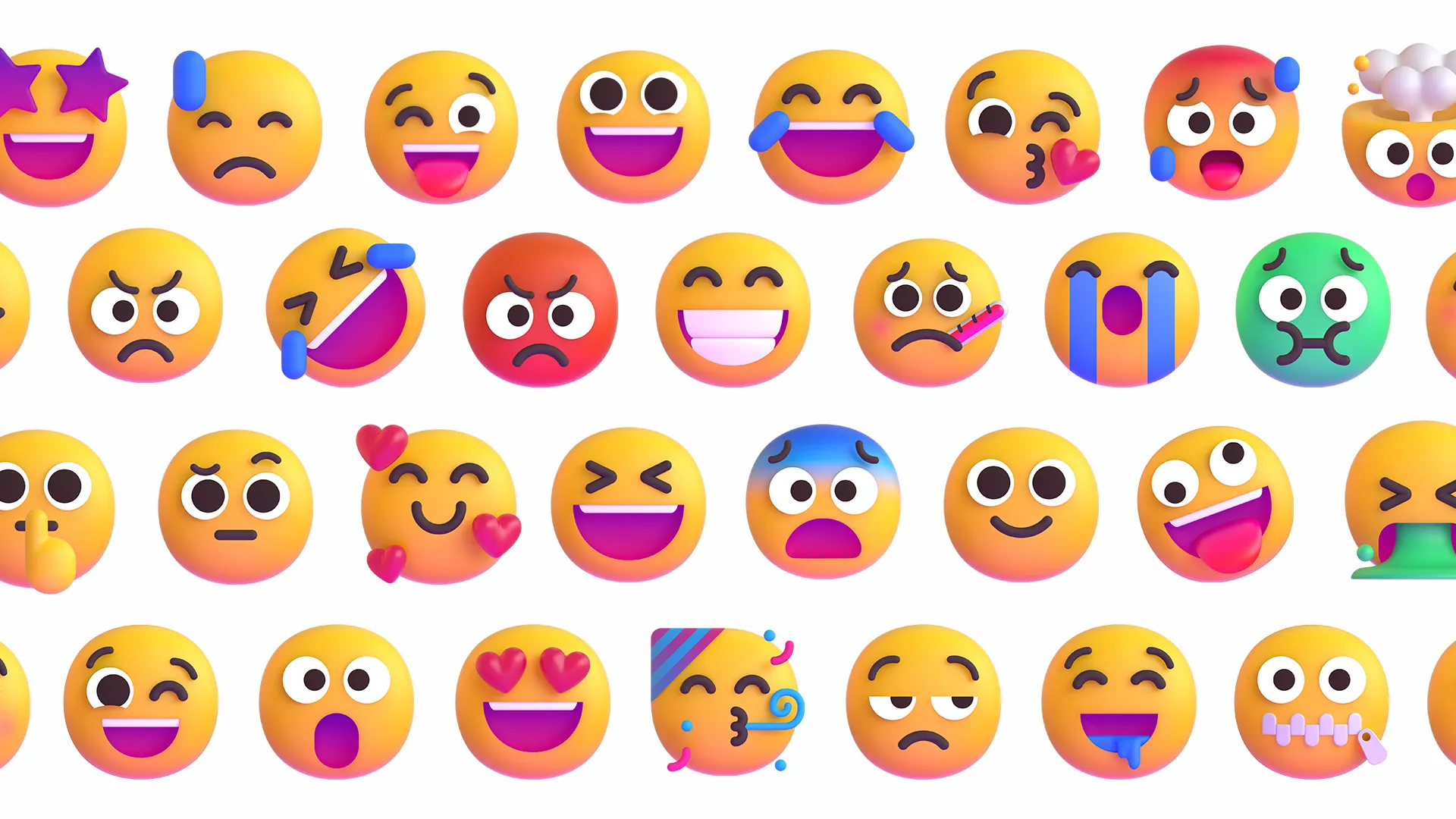
Not because it is more “correct” than system emoji, but because it has a subtle product feel: soft, consistent, dimensional, yet not so loud that it turns into a sticker pack. Inside an article, especially one with Chinese text, it often makes a sentence feel just a little lighter.
But that is also where the problem starts.
If I only write 🙂 once in a while, system emoji are good enough. The real reason I wanted to build rehype-fluent-emoji is that I wanted to use Fluent Emoji consistently in MDX articles while keeping the abilities text should already have.
It should be copyable.
It should not break line height.
Emoji inside code blocks should not be replaced.
The build output should not hide a pile of runtime side effects.
These all sound tiny. But if you actually treat emoji as part of the text in an article, these small things decide whether the plugin is an enhancement or a nuisance.
Not just images
The blunt approach is very simple: scan the text and replace emoji with <img>.
That gets you a visible result quickly. The images load, the article looks different, and the demo seems to work. But it immediately brings a few problems.
First, copy behavior stops feeling natural. You select a sentence, expecting the original Unicode emoji, but image nodes are mixed into the middle.
Second, the semantics become vague. Emoji are part of the text. They are not necessarily illustrations, and they do not always need to be announced as images by screen readers.
Third, styling can get out of control. Article images often receive shared rules for rounded corners, max width, lazy loading, lightbox behavior, and so on. If emoji become ordinary images, they can be caught by those article image styles.
So the plugin is not simply “turn emoji into images”. It does something more specific:
Keep the Unicode emoji as a text layer, then place a Fluent Emoji visual layer above it.
That means copied text still contains real emoji, while the reading experience gets a consistent Fluent look. Text and visuals each do their own job, and the boundary becomes much clearer.
rehype is the right place
I did not want this to become a client-side script.
Articles already pass through the MDX, remark, and rehype pipeline at build time. Emoji replacement naturally belongs there. Once the HTML is generated, the browser should only need to render it normally, not wait for a JavaScript pass that scans the DOM again.
This also matches my preference for content sites: if something can be done at build time, do not push it to the client.
If you want to try it directly, you can read the source on GitHub, or check the package and install details on npmx.dev. The quickest install command is:
pnpm add -D rehype-fluent-emojiRoughly speaking, rehype-fluent-emoji works like this:
import rehypeFluentEmoji from 'rehype-fluent-emoji'
export default { markdown: { rehypePlugins: [ [ rehypeFluentEmoji, { assetBase: '/emoji', style: '3d', }, ], ], },}It looks for emoji in normal text nodes inside HAST, and skips paths that should not be rewritten, such as code, pre, script, and style.
The final structure is roughly a span with both a text layer and a visual layer. You see Fluent Emoji, but the original Unicode character is still in the DOM.
That is the biggest difference between this and many “emoji to image” solutions.
The small matter of copying
Copy behavior is the part I care about most.
Because emoji are not decorative assets in an article. They are text. If someone copies a sentence from my article and pastes it somewhere else, they should get the same sentence, not one with the emoji missing.
This becomes a little tricky in practice.
If you simply make the Unicode emoji transparent and use a background image for Fluent Emoji, the normal state can look fine. But once text is selected, browser selection behavior starts to leak through. Different browsers do not handle ::selection, transparent text, and background images in exactly the same way.
The most stable approach ended up being a split between the root element, text layer, and visual layer:
- The text layer keeps the Unicode emoji and participates in selection and copying.
- The visual layer displays Fluent Emoji.
- Shared CSS keeps the Unicode glyph transparent during selection without taking over the page’s own selection background.
This can sound like too much design for a tiny emoji, but I think this is exactly what a plugin should handle.
A good content plugin should not only look good in a demo. It should also disappear into ordinary actions like copying, selecting, reading, and searching.
Assets should have a boundary too
Another part I care about is asset downloading.
Fluent Emoji images have to come from somewhere. The most convenient approach would be for the plugin to discover missing assets at runtime, download them, and maybe even write them into public/emoji.
I do not like that direction.
A rehype plugin should transform content. It should not quietly access the network, write files, or change your project directory while your articles are being built. In CI, SSR, and edge runtime contexts, implicit side effects are especially annoying.
So the boundary is clearer now:
rehype-fluent-emoji sync content --out public/emoji --style 3dRun an explicit sync command, and it downloads the emoji assets used by your articles into the directory you choose.
Then rendering only needs to know where those assets live:
{ assetBase: '/emoji'}In other words, the plugin only generates asset URLs. Where the assets live, when they are synced, and whether they are served from a CDN are all decisions left to the user.
This API is a little less “automatic”, but I like it more. It is not mysterious, and it does not make extra decisions for you.
The asset repository changed too
There is another layer to the asset story.
At first, the plugin could use assets organized by shuding/fluentui-emoji-unicode. That project takes Microsoft Fluent Emoji from CLDR-style folders and turns it into flat CDN assets with two URL shapes:
👋_color.svg1f44b_color.svgSo you could address an emoji either by the glyph itself, or by its Unicode code point.
Later, in my withxat/fluentui-emoji-unicode fork, I opened a webp branch and pushed it a little further. It is no longer only a resource organizer. It is now a smaller, more maintainable WebP CDN repository with stable URLs.
The tradeoffs are pretty clear.
First, it only keeps Unicode code point URLs:
1f44b_3d.webpIt no longer generates glyph paths like 👋_color.svg.
URLs should be predictable. Emoji inside URLs are cute, but different clients, CDNs, and copy paths do not always treat Unicode paths consistently. Code point names are more boring, but much more stable.
Second, every asset is converted to WebP. Fluent Emoji originally mixes PNG and SVG depending on the style. The new build uses sharp to convert both PNG and SVG into .webp. SVG assets are rasterized at 512px with density: 300, then exported as WebP at quality 90.
The result is about 11,030 Unicode-only WebP files.
There is also a small Unicode detail: filenames strip fe0f, also known as Variation Selector-16.
For example:
1f44b fe0f -> 1f44b1f3f3 fe0f 200d 26a7 fe0f -> 1f3f3-200d-26a7fe0f asks for emoji presentation, but for asset lookup it is usually noise. Removing it makes 1f44b and 1f44b fe0f resolve to the same stable URL.
The fork also keeps upstream microsoft/fluentui-emoji as a vendor/fluentui-emoji submodule, and rewrites the build script from a Node script to Bun + TypeScript. If I need to rebuild the assets six months later, I do not have to remember which repository to clone, which script to copy, and which command to run. It is just git submodule update --init, then bun run build.
Tooling does not sound like a product feature, but it decides whether the repository can still be maintained later.
The README also gives two CDN entry points:
- jsDelivr:
cdn.jsdelivr.net/gh/withxat/fluentui-emoji-unicode@webp/assets/... - Raw GitHub:
raw.githubusercontent.com/withxat/fluentui-emoji-unicode/webp/assets/...
The first is better for CDN delivery. The second points straight at the GitHub source files.
The pipeline is roughly:
microsoft/fluentui-emoji (submodule) -> metadata.json -> Unicode code points -> sharp (PNG/SVG -> WebP) -> strip fe0f, keep code point filenames onlyassets/{unicode}_{style}.webp -> jsDelivr / GitHub Raw CDNSo this is not only “convert the images to WebP”. More precisely, it turns the asset repository from “organized files” into “a stable CDN contract”.
Color, Safari, and the real world
Fluent Emoji has several styles, including color, flat, high-contrast, and 3d.
At first, I naturally wanted to use color SVG. SVG sounds elegant. But real browsers like to remind you that elegance is not the same thing as stability.
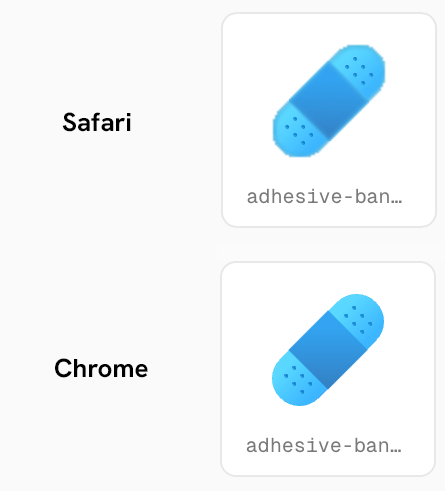
In Safari, some Fluent Emoji color SVGs look soft. After digging into it, the cause seems related to heavier filters inside the SVGs. It is not something you can fully solve by tweaking display or background-size.
So on my own site, I use the 3d WebP style.
Not because WebP is more “advanced”, but because it is more reliable in this context. Emoji inside articles are small. Readers are not treating them as vector illustrations to zoom into. Compared with theoretical format elegance, I care more about whether they are sharp, stable, smaller to transfer, and quiet on the real page.
Engineering often comes down to this kind of choice. You start out thinking you are choosing the technically prettier answer, then discover that the better answer is the one that causes fewer problems.
How this site uses it
This site now syncs emoji assets before building articles:
{ "emoji:sync": "rehype-fluent-emoji sync content --out public/emoji --style 3d"}Then the MDX pipeline uses rehype-fluent-emoji to render emoji inside posts.
I also wrote a plain Fluent Emoji render test to check how it behaves in paragraphs, lists, links, and code blocks. It is not a feature intro. It is more like a patrol page for “please do not break the article”.
If an emoji can sit quietly inside a sentence, without stretching line height, polluting copied text, or behaving unpredictably across browsers, it has done its job.
Outro
The plugin itself is not complicated, but it represents a kind of engineering problem I like.
On the surface, it is just “make emoji prettier”. In practice, it touches semantics, copying, selection, build side effects, asset management, and browser rendering differences.
The solution I prefer is clear: the visual layer can be more fun, but the underlying behavior should stay as ordinary as possible.
Ordinary is not a bad thing.
The ideal state for an emoji plugin is simple: it looks cute when you notice it, nothing breaks when you copy it, and if you remove it, the article is still the same article.